
Product Reviews
iFLYTEK Smart Translator 4.0 Review: A Traveler’s Companion
With the iFLYTEK Smart Translator 4.0, traveling to more than 200 countries around the world can be a totally stress-free experience.

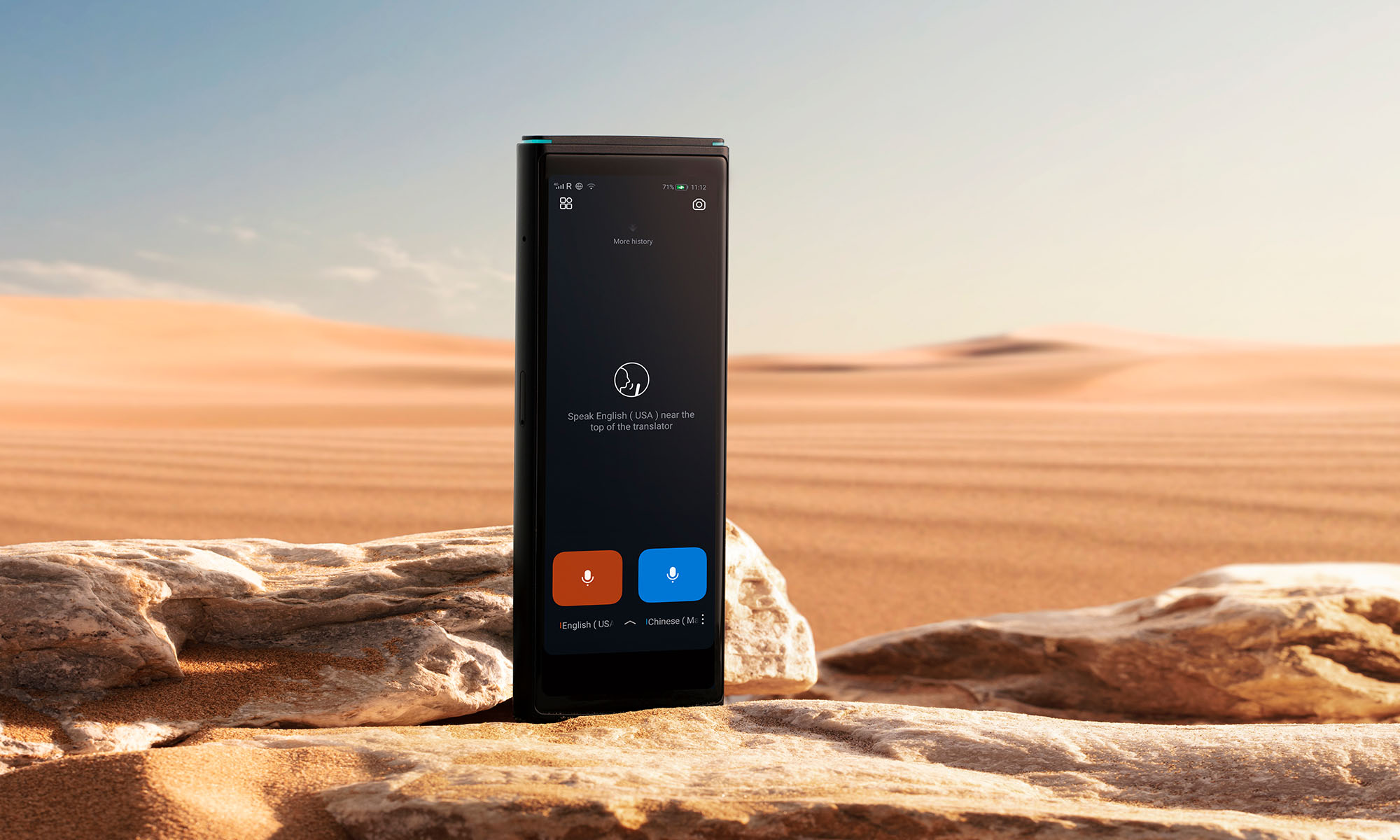
In this review, we’re taking a look at the iFLYTEK Smart Translator 4.0, an artificial intelligence-powered translator that promises to break down language barriers across the globe with its support for 60 languages.
But wait a minute – don’t you already have a smart translator with you wherever you travel in the form of your smartphone? That’s a great question, and my goal with this review is to answer it as comprehensively as possible to help you decide if the iFLYTEK Smart Translator 4.0 is a good investment for you.
Winning First Impressions
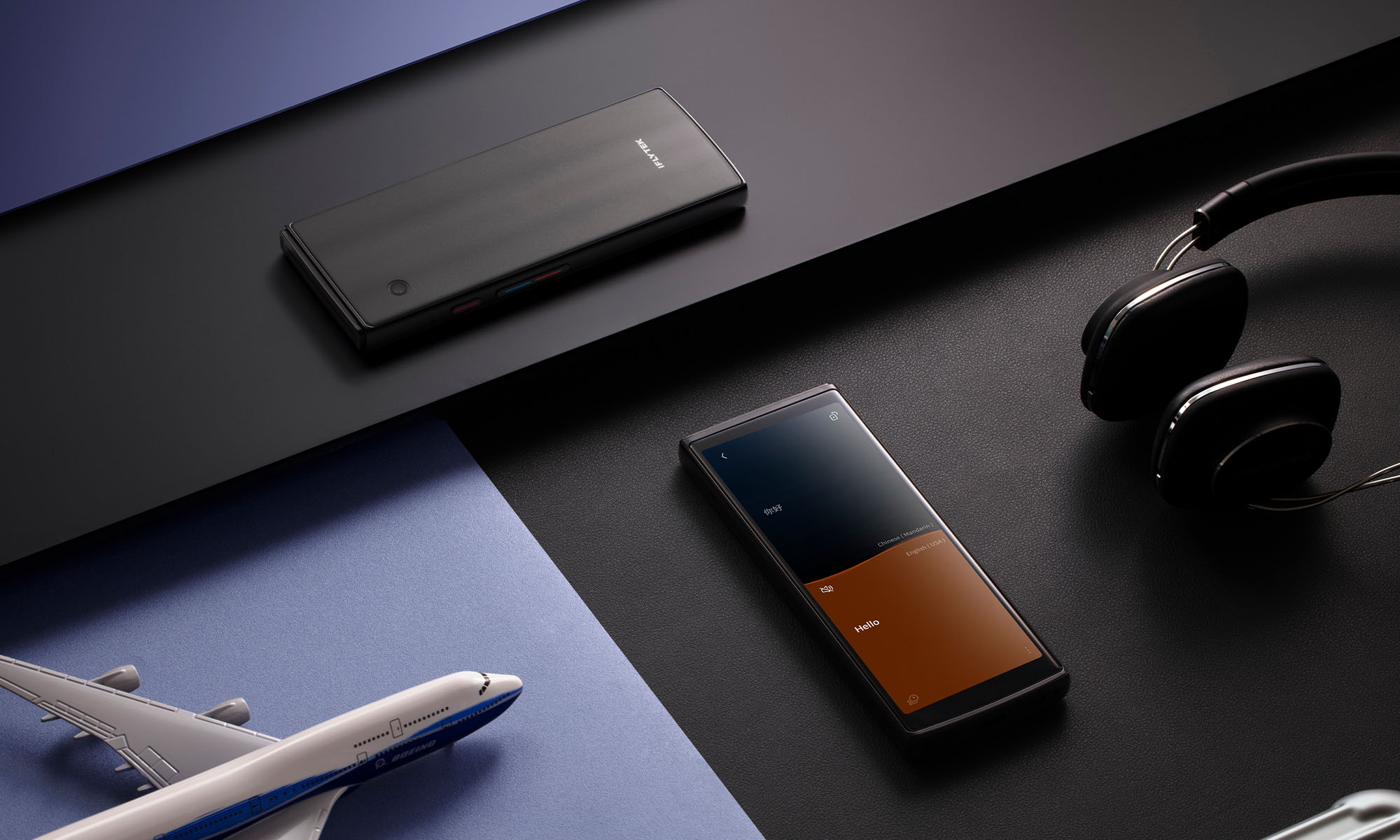
Unboxing the iFLYTEK Smart Translator 4.0 sets a premium tone right from the start. Inside the clean, minimalist packaging, you’ll find a USB-C charging cable, a SIM tray removal tool, comprehensive user documentation in multiple languages, and, of course, the translator itself.
At just 130 grams and measuring 140.6 x 56.5 x 10.4mm, the iFLYTEK Smart Translator 4.0 sports a sleek, pocket-friendly design. It’s slightly lighter and smaller than the average smartphone (the iPhone 16, for example, weighs 170 grams and measures 147.6 x 71.6 x 7.8mm), so it nicely disappears in just about any pocket. The build quality feels solid and premium, with a comfortable matte finish that resists fingerprints.
The 5.05-inch display dominates the front of the device. The screen is bright enough to be clearly visible outdoors, and the viewing angles are also good, which is an important feature when you’re showing translations to someone standing next to or across from you.
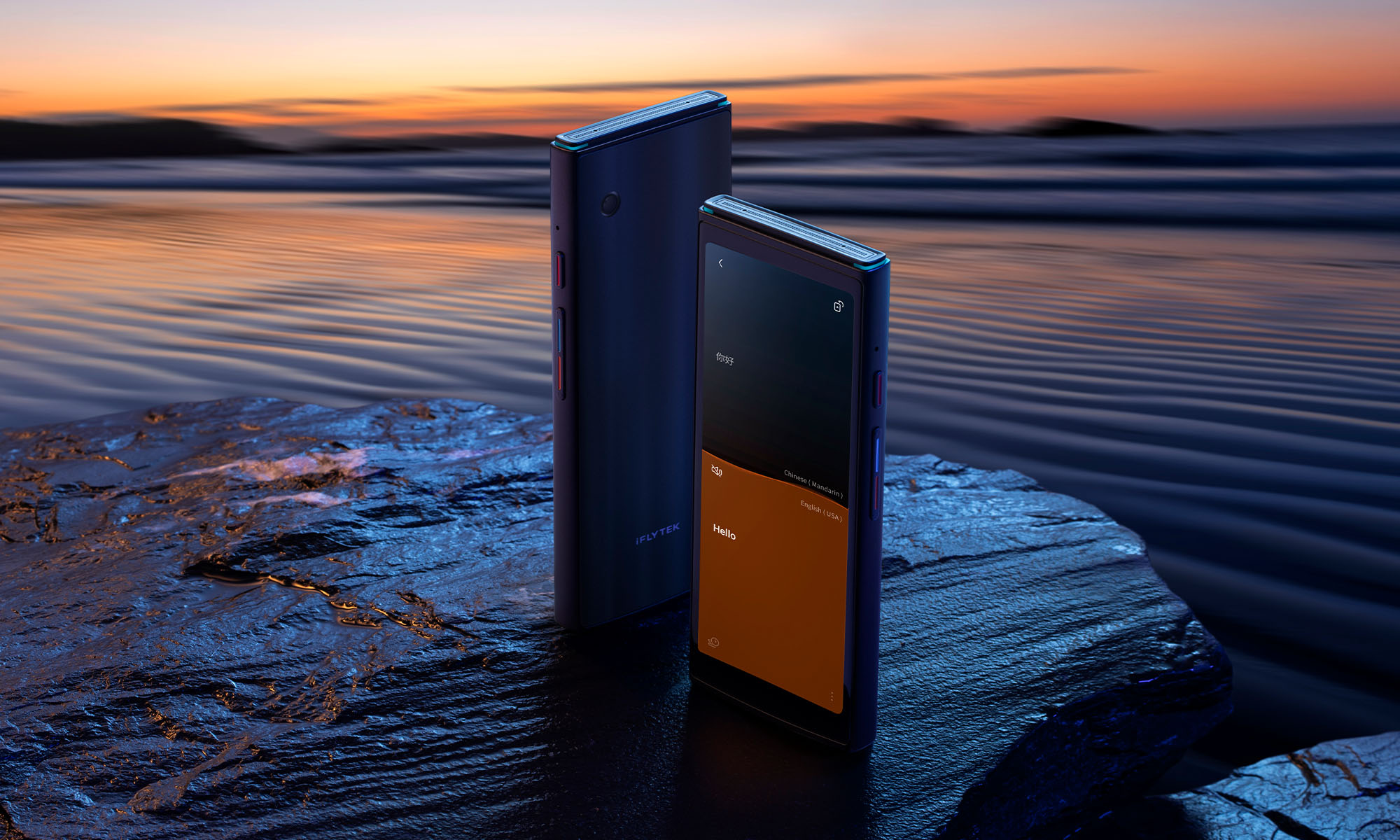
The edges of the iFLYTEK Smart Translator 4.0 house a thoughtfully laid out array of controls and slots: a power button and volume rocker on one side, a SIM card slot on the other, and a USB-C charging port at the bottom. The top edge houses the device’s secret weapon — a U-shaped quad-microphone array that enables accurate translation even in noisy environments. On the back, there’s a modest 5 MP camera with autofocus for photo translation.
Under the hood, the device is powered by a 2000 mAh battery that delivers impressive endurance of up to 6 hours of continuous translation use or 10 days in standby mode when not connected to the internet. There’s also an octa-core processor from Mediatek, which certainly isn’t the latest or greatest, especially compared to the latest flagship smartphone chips, but I find it to be well-matched to the device’s needs, as evidenced by the device’s real-time translation performance.
Key Technical Specifications
| Feature | Specification |
| Display: | 5.05-inch screen |
| Storage: | 2 GB RAM + 16 GB ROM |
| Battery: | 2000 mAh |
| Processor: | MTK 6762 (Octa-core) |
| Weight: | 130 g |
| Camera: | 5 MP with autofocus |
| Connectivity: | Wi-Fi, Bluetooth 5.0, eSIM, Nano SIM |
A User Interface That Makes Sense
If you’ve ever used your smartphone as a translator, you might have concluded that the user experience leaves a lot to be desired. I personally experienced this when I traveled to Serbia this summer. My bus home was about to leave in 10 minutes, but I couldn’t find the bus station. What’s worse, it was very early in the morning, and there were only a few people in sight. Starting to panic, I ran to the nearest person and took out my phone to open Google Translate so I could ask them for help.
First, I had issues unlocking my phone. Then I couldn’t find the Google Translate app. By then, the person was visibly annoyed, probably thinking that I was just wasting their time. Once I finally found the Google Translate app and said the sentence I wanted to translate, it took forever because the internet connection was spotty, and I hadn’t downloaded the language beforehand.
If I had the iFLYTEK Smart Translator 4.0, the experience would have been much more pleasant for both me and the person I was asking for help because it’s designed specifically for these real-world scenarios.
Thanks to the stripped-down, task-optimized version of Android that powers the translator, there’s no fumbling through apps or dealing with phone unlocking — just press the power button, and you’re ready to translate. Alternatively, you can activate one of its three main modes through simple swipes: voice translation (default screen), camera translation (swipe left), and face-to-face translation (swipe right).
Even the familiar Android settings menu has been simplified to its bare essentials. Gone are the overwhelming lists of options you’ll find on your smartphone – instead, you get just four straightforward categories: Network and Connection (for managing Wi-Fi, mobile data, and Bluetooth), Display (brightness and screen settings, such as font size), Sound and Vibration (volume controls and haptic feedback), and Systems and Updates (software updates and privacy settings).
Real-World Translation Performance
iFLYTEK isn’t just another company jumping on the AI bandwagon. They are widely recognized for their continued innovation in AI, including speech recognition and natural language processing.
iFLYTEK’s flagship large language model, Spark (launched in May 2023) has evolved into a sophisticated system that handles everything from business translations to scientific research thanks to its enhanced understanding of complex concepts and specialized knowledge, which enables highly accurate and rapid translations across various domains.
The iFLYTEK Smart Translator 4.0 essentially puts all of this experience and expertise in your pocket. It supports an impressive 60 languages for voice translation, covering more than 200 countries and regions worldwide. What’s particularly noteworthy is that 18 of these languages work completely offline, including major ones like English, Arabic, Chinese, Japanese, Korean, Russian, French, German, and Spanish.
Best of all, the iFLYTEK Smart Translator 4.0 comes with a two-year global data package that provides free connectivity in 148 countries worldwide. This means no hunting for local SIM cards or relying on spotty Wi-Fi connections in foreign countries. You can simply turn on the device and start translating.
Voice Translation
The voice translation mode serves as the default screen, and for a good reason — it’s likely to be your most-used feature. You can use this mode in several ways: press and hold to speak, use the physical volume buttons (color-coded for each language), or activate gesture controls where you simply pick up the device to speak and put it down to translate.
The U-shaped quad-microphone array I mentioned earlier in this review really shows its value by picking up speech clearly, even in a challenging environment like a noisy restaurant.
The microphone array is assisted by a noise-canceling algorithm that does an impressive job of isolating voices from background noise, something that traditional smartphone microphones often struggle with.
Face-To-Face Translation
The face-to-face translation mode is where the iFLYTEK Smart Translator 4.0 truly shines, and it’s clear that iFLYTEK has put a lot of thought into making this feature as natural as possible.
The screen splits into two sections, with each person’s language displayed on their respective side, and you can flip the screen orientation so the person you’re talking to can read their side comfortably.
The octa-core MTK 6762 processor really proves that it’s still very capable here, delivering translations in less than half a second, so you don’t have to worry about conversations flowing naturally, whether you’re haggling at a market or having an in-depth business discussion.
Camera Translation
While the 5-megapixel camera might seem underwhelming by today’s smartphone standards (the iPhone 16 Pro boasts a 48 MP main sensor, and the affordable Xiaomi Redmi Note 13 Pro has a 200 MP camera), it’s actually perfectly suited for its intended purpose because it’s responsive and capable of delivering great low-light performance.
The real star of the show is the OCR (Optical Character Recognition) technology baked into the camera app. It confidently handles everything from restaurant menus to street signs, and even handwritten notes (though, as with all OCR systems, your mileage may vary with particularly messy handwriting).
The translation appears overlaid on the original text in real-time to maintain the original formatting and layout. This really helps when translating more complex documents or menus as you can easily understand the context and relationship between different sections.
Should You Buy The iFLYTEK Smart Translator 4.0?
At the beginning of this review, I presented a simple question: in an age where everyone has a capable translator in their pocket in the form of a smartphone, is there still a place for a dedicated translation device? After testing the iFLYTEK Smart Translator 4.0, I can confidently answer this question — but the answer depends entirely on who you are and how you travel.
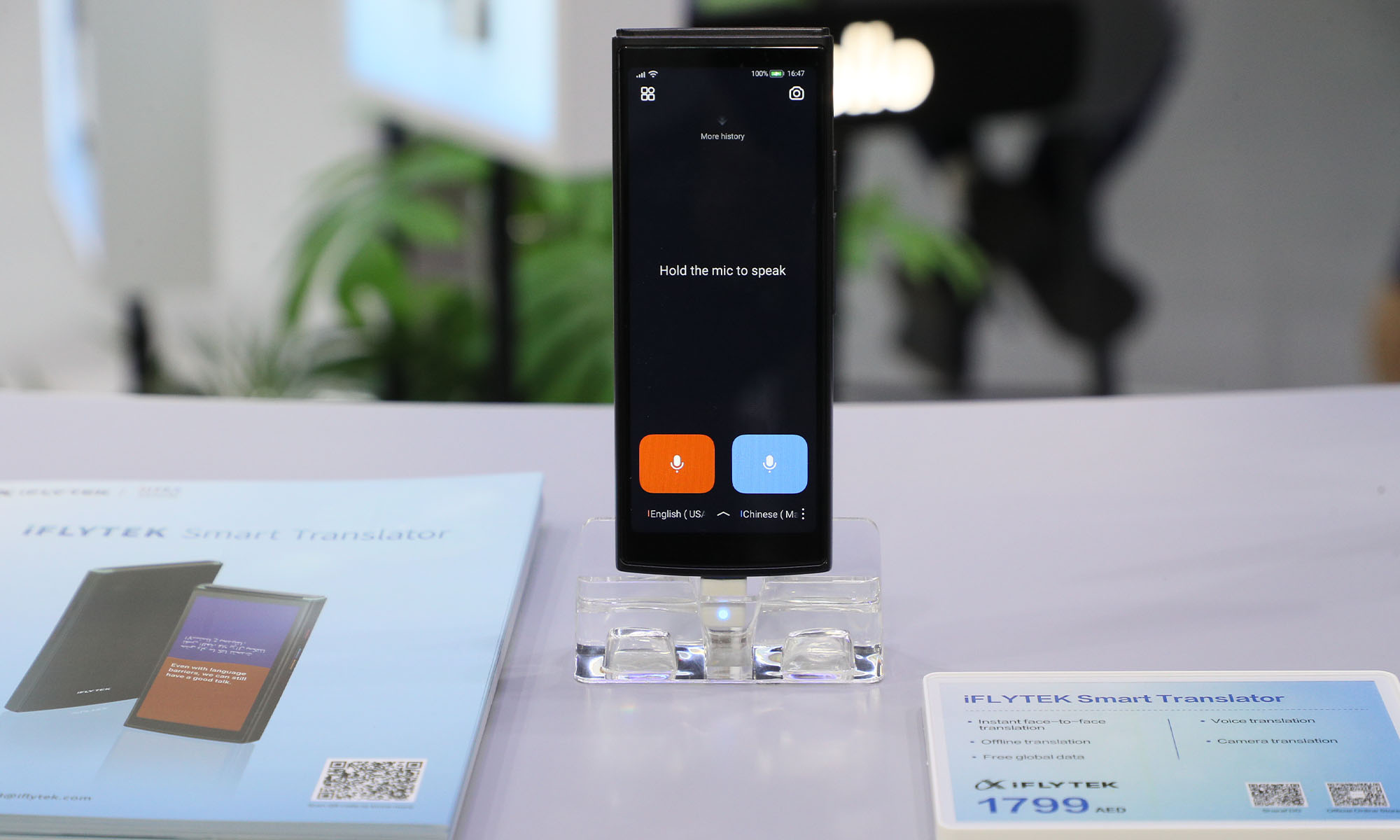
If you’re someone who goes on vacation once or twice a year, the iFLYTEK Smart Translator 4.0’s AED 1,799 / $429.99 price tag (at the time of writing this review) is difficult to justify. Yes, it would make your travel experience smoother and more comfortable than relying on your smartphone, but for occasional use, you can probably manage with Google Translate or similar apps even if it means dealing with occasional frustrations.
However, if you’re a frequent traveler — whether for business, extended leisure trips, or digital nomading — the iFLYTEK Smart Translator 4.0 becomes one of the best investments you can make. The included two years of unlimited global data coverage alone could save you hundreds of dollars in international roaming fees or local SIM card purchases across 148 countries. When you factor in the convenience of having a dedicated device that’s always ready to translate, the value proposition becomes clear.
Final Verdict
The iFLYTEK Smart Translator 4.0 is a purpose-built device that excels at its single task: breaking down language barriers. While its AED 1,799 / $429.99 price tag might seem steep at first, the combination of dedicated hardware, streamlined software, and two years of global connectivity makes it a compelling investment for frequent travelers. The device is available for purchase through iFLYTEK’s official website or at Sharaf DG.
Pros:
- Fast and accurate translations
- 18 languages available offline
- Excellent usability with dedicated hardware buttons
- Two years of free global data coverage in 148 countries
- Real-time OCR translation with layout preservation
- Responsive performance with minimal lag
Cons:
- Expensive for occasional travelers
- 5 MP camera seems dated (though adequate for OCR)

Product Reviews
Shokz OpenFit Pro Review: Open-Ear Audio Finally Grows Up
With punchy bass, spatial audio, and surprising open-ear noise reduction, the Shokz OpenFit Pro fixes the worst trade-offs of unblocked earbuds.

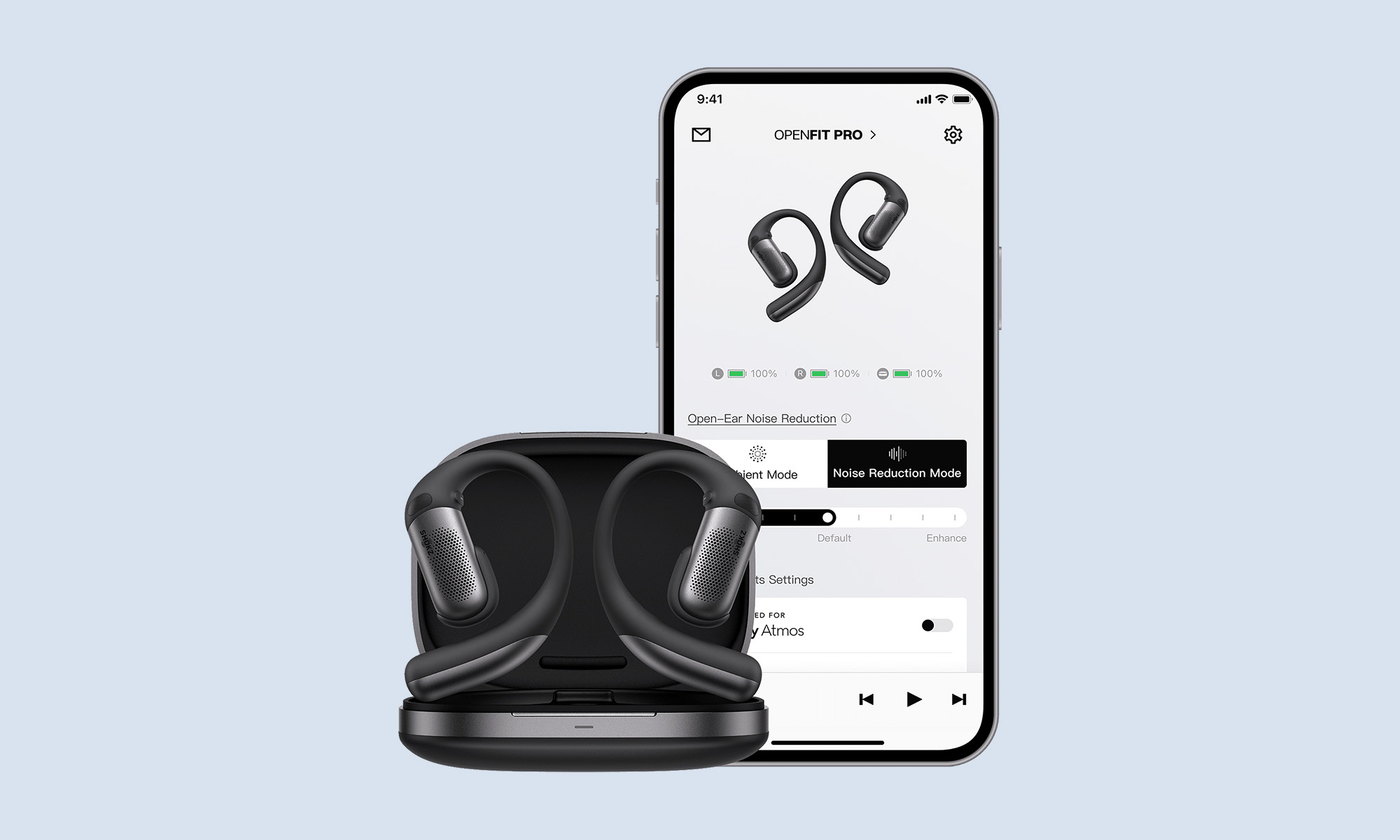
For years, open-ear headphones operated under an unspoken, universal compromise: you bought them for situational awareness and all-day comfort, accepting that your music would sound thin, tiny, and completely vanish the moment a bus drove past. If you wanted deep sub-bass or active noise cancellation, you had to seal a silicone tip deep into your ear canal.
With the Shokz OpenFit Pro, the company is attempting to rewrite that rulebook entirely. Packing a stacked dual-diaphragm driver structure, spatial audio with head tracking, and — for the first time in an open-ear form factor — an adaptive “Open-Ear Noise Reduction” system, Shokz wants this flagship to be the earbud you never have to take off.
After putting them through their paces on noisy city streets, inside busy coffee shops, and on long outdoor runs, here is how Shokz’s most ambitious pair of open earbuds holds up.
Design & Comfort: Weightless, Secure, And Built For Motion
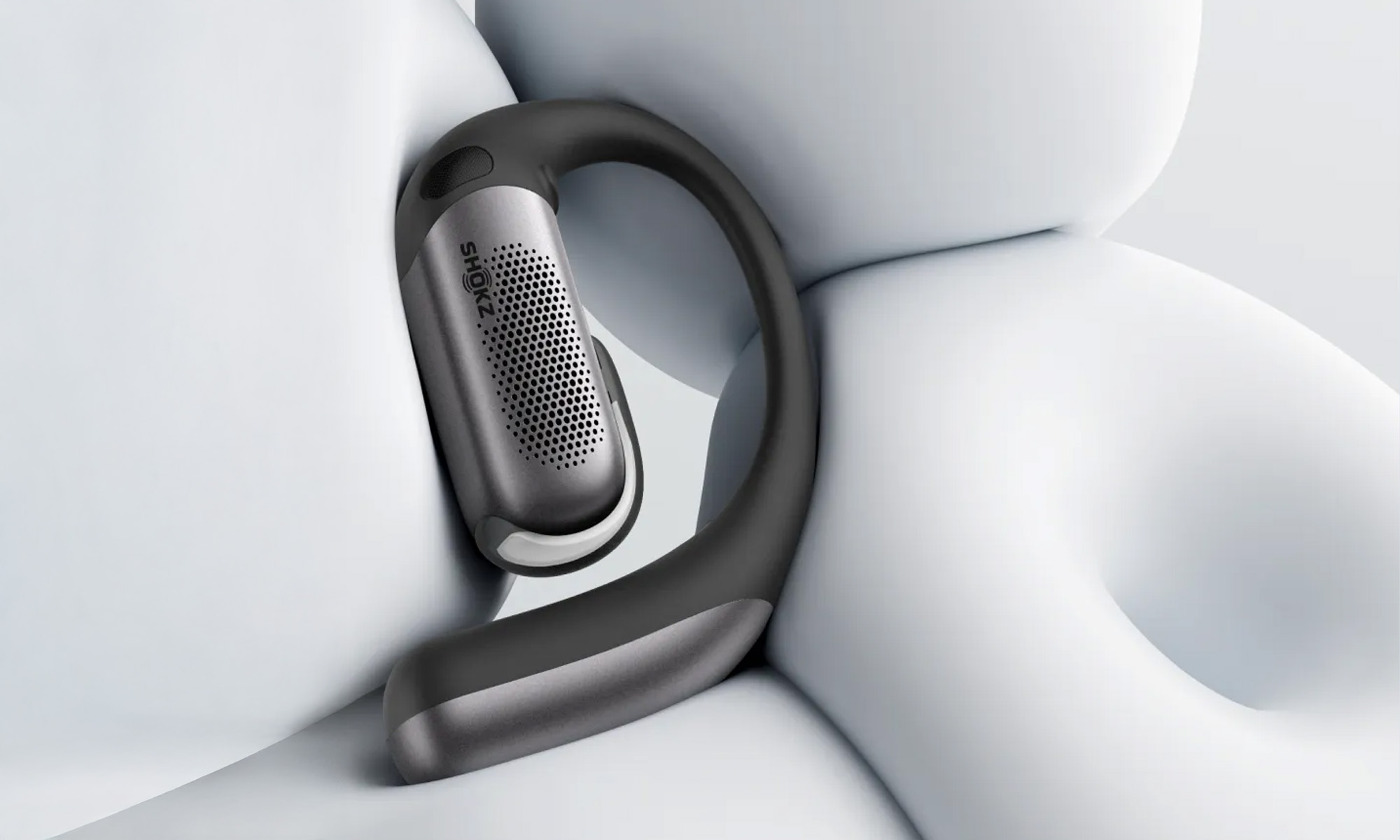
At 12.3 grams per earbud, the OpenFit Pro buds are slightly heavier on paper than traditional in-ear options like the AirPods Pro. However, because the weight is distributed across the top of your ear via a flexible memory-titanium hook, they feel virtually weightless in practice.
Shokz upgraded the outer casing to Ultra-Soft Silicone 2.0 — a skin-friendly material engineered with an ultra-low Shore hardness rating — which eliminates friction hot spots behind the ear. During high-intensity workouts, the nickel-titanium alloy skeleton flexes naturally while maintaining a firm grip. They didn’t budge during sprint drills, and because your ear canal remains entirely unblocked, you get zero occlusion effect — meaning no annoying thumping footfalls vibrating through your head while running.
Another welcome upgrade is the return of physical tactile buttons with a raised profile on the top ridge of each earbud. Touch-sensitive controls on workout earbuds are notoriously prone to accidental triggers from sweat, rain, or stray hair. The physical buttons give a firm, satisfying click that works reliably even if you’re wearing light running gloves.
The earbuds feature an IP55 dust and water resistance rating, easily surviving heavy sweat and sudden rainstorms. Note, however, that the charging case itself isn’t water-rated, so you’ll want to wipe the buds dry before dropping them back into their cradle.
Sound Quality: Open Audio With Actual Bass Punch

Historically, open-ear drivers struggle with bass response because there is no physical pressure seal to trap low-frequency acoustic energy. Shokz tackles this head-on with a new 11x20mm synchronized dual-diaphragm driver stacked in a 3D architecture, effectively doubling the speaker surface area inside the earbud.
The low end, powered by an ultra-flexible silicone diaphragm and Shokz’s OpenBass 2.0 algorithm, delivers real punch. While it won’t produce the chest-rattling isolation of a sealed in-ear monitor like the Sony WF-1000XM5, listening to bass-heavy electronic or hip-hop tracks no longer feels hollow or stripped of energy.
Meanwhile, a rigid aerospace-grade aluminum PMI dome handles the high frequencies up to 40 kHz. Vocals sound crisp, acoustic instruments remain clean and well-separated, and the highs rarely push into harsh territory.
Shokz also included support for Dolby Atmos content complete with dynamic head tracking. Turn your head, and the soundstage remains anchored in space, adding a pleasant sense of dimension when watching movies on a tablet or streaming compatible tracks. And thanks to DirectPitch 3.0 technology, phase-canceled sound waves direct audio straight into your ear canal while minimizing external spill. At 60% volume in a quiet office setting, someone sitting right next to you will barely hear a whisper.
Open-Ear Noise Reduction: Magic Trick Or Marketing?
Active noise cancellation normally relies on creating destructive interference inside an enclosed acoustic chamber (your sealed ear canal). Canceling noise when your ear is wide open to the room sounds acoustically impossible, but Shokz takes a clever alternate approach.
The OpenFit Pro uses a triple-microphone system — two feedforward mics monitoring external ambient noise and one feedback mic listening close to the ear canal — paired with a real-time Ear Adaptive Algorithm. Instead of creating an eerie, pressurized “silent vacuum” like traditional ANC, the system continuously analyzes your environment and ear fit to project inverse sound waves that dial down constant ambient noise.
In practice, the effect feels like turning down the background volume knob of the world by roughly 60 to 70 percent. In a busy coffee shop or an office with loud air conditioning, ambient chatter and background hum recede smoothly into the background. You can still hear someone speaking directly to you, but your audio remains clear without needing to crank the volume up to unsafe levels. Outdoors, it cuts persistent low-frequency road rumble while keeping high-pitched hazards — like car horns or bike bells — audible for safety.
Where does it fail? Planes and subways. Open-ear architecture simply cannot overpower the continuous, high-decibel roar of a jet engine or screeching train tracks. If heavy travel isolation is your main priority, standard noise-canceling in-ears are still essential.
Battery Life, Controls, And Ecosystem
- Battery & Power: With noise reduction turned off, you get up to 12 hours of continuous playback on a single charge, extending to 50 hours total with the case. With noise reduction enabled, those numbers drop to a still-respectable 6 hours per charge and 24 hours total. A quick 10-minute charge in the case yields 4 hours of music, and the case supports both USB-C and Qi wireless charging.
- Smart Features & App: Bluetooth 6.1 delivers rock-solid connectivity with Multipoint support for switching seamlessly between your phone and laptop. Hybrid optical and capacitive wear sensors automatically pause your music when you take a bud off. Inside the Shokz app, you can customize button controls, tweak a 10-band EQ, adjust noise reduction levels, or trigger a “Find My Earbuds” chime.
- Call Quality: Voice isolation is outstanding. The triple-mic array uses AI voice extraction paired with wind-deflection channels. Even in outdoor testing with wind gusts up to 15 mph, callers reported clear, intelligible voice audio with background street noise almost completely masked out.
The Verdict
The Shokz OpenFit Pro is a landmark release for open-ear audio. By pairing an upgraded dual-diaphragm driver with clever, adaptive open-ear noise reduction, Shokz has eliminated the major acoustic penalties traditionally associated with unblocked listening.
Priced just under AED 950, it competes directly with flagship in-ear buds from Apple, Sony, and Bose. If you need complete acoustic isolation for air travel or crowded commutes, those traditional sealed models remain the better buy. But if you want a premium, secure-fitting pair of workout and everyday earbuds that deliver impressive bass, clear calls, and a gentle dampener on ambient noise without ever jamming anything into your ear canals, the OpenFit Pro stands as the undisputed best in its class.

New Disney+ Streaming App Has Officially Launched In The UAE

Dubai Says Its Deepfake Detector Needs Just 7 Seconds Of Video

OpenAI Has Announced A Visual Ad Format For ChatGPT

For etisalat, More Bandwidth Is A Matter Of Digital Sovereignty

NEOPAY Wants To Follow Merchants Across Channels And Borders

Trip.com Is Betting An AI Agent Will Book Your Next Vacation

Musk’s Boring Company Wants To Dig 150 KM Of Tunnel Under The UAE

OKX Bets Streaming Perks Can Take Crypto Mainstream Across MENA

Meta’s New $499 Plan Puts A Price On Reaching A Real Person

Apple’s First Folding iPhone Arrives Late To A Shrinking Market


-
 News3 weeks ago
Trip.com Is Betting An AI Agent Will Book Your Next Vacation
-
 News4 weeks ago
Musk’s Boring Company Wants To Dig 150 KM Of Tunnel Under The UAE
-
 News3 weeks ago
OKX Bets Streaming Perks Can Take Crypto Mainstream Across MENA
-
 News3 weeks ago
Meta’s New $499 Plan Puts A Price On Reaching A Real Person