
News
4 Upcoming WhatsApp Updates You’re Going To Love
WhatsApp developers are currently testing several new features, which should soon be released as updates for Android and iOS.

Recent WhatsApp updates and privacy policy changes have caused a substantial number of its long-term users to explore other instant messaging apps, such as Telegram and Signal. Needless to say, that’s not what WhatsApp wants to see happen. To give those who have not left yet more reasons to stay, WhatsApp developers are now testing multiple new features, which should soon be released as updates for Android and iOS.
Multi-Device Login
WABetaInfo
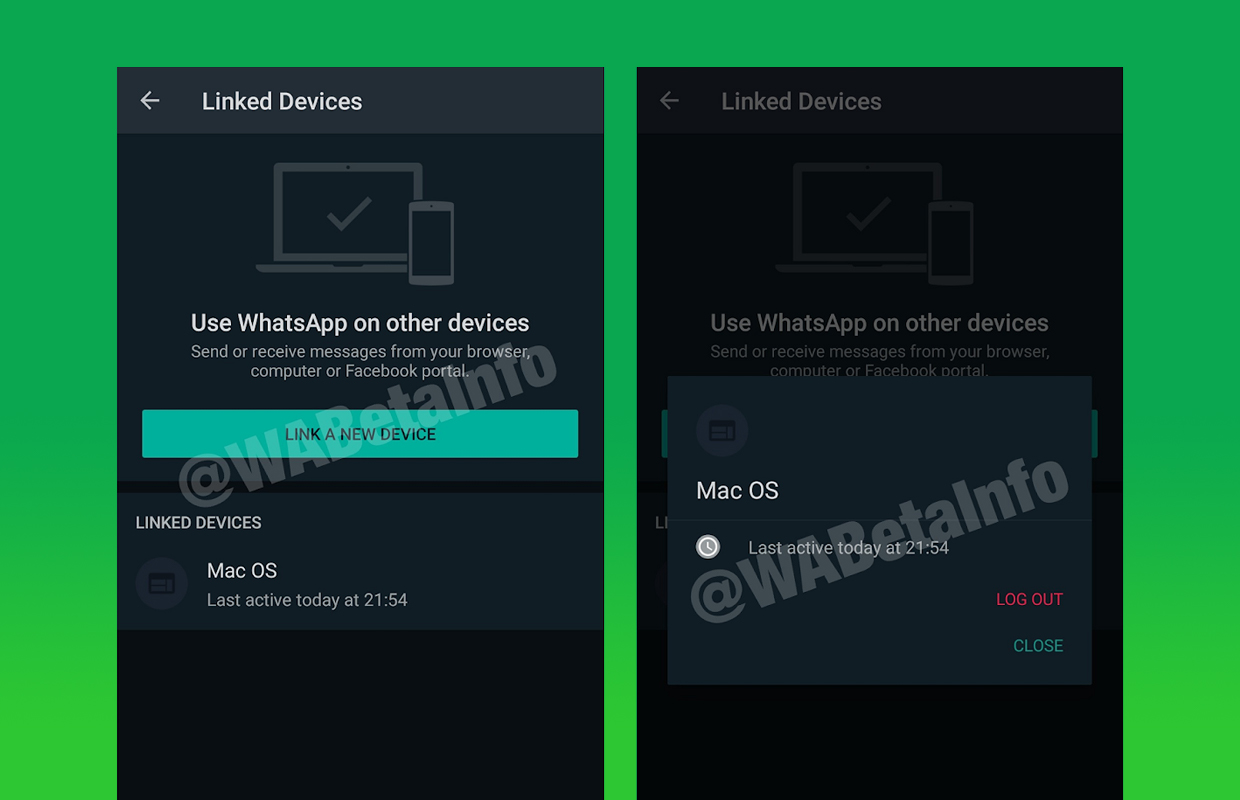
According to WhatsApp parent company Facebook’s CEO Mark Zuckerberg, WhatsApp beta testers will soon be able to log in to WhatsApp Web or the WhatsApp Desktop application even without the WhatsApp smartphone app running on their mobile device. Most other instant messaging apps already support multi-device login, so it’s about time WhatsApp users get to enjoy this convenient feature as well.
View Once
WABetaInfo
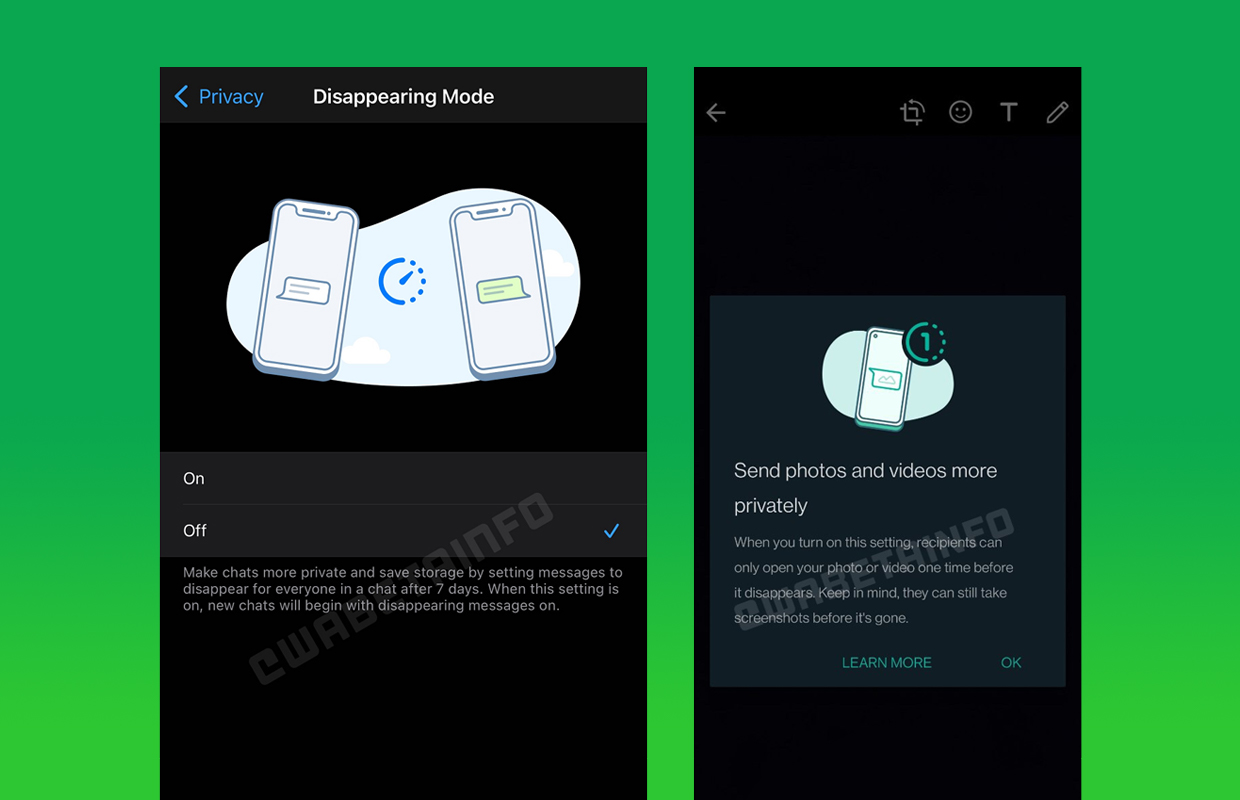
WhatsApp has more than 2 billion users around the world, and many of them use the instant messaging app to share sensitive information. Soon, WhatsApp users will be able to send an image or video that will disappear as soon as the recipient views it, making it impossible to share it with any other people.
New Archive
WABetaInfo
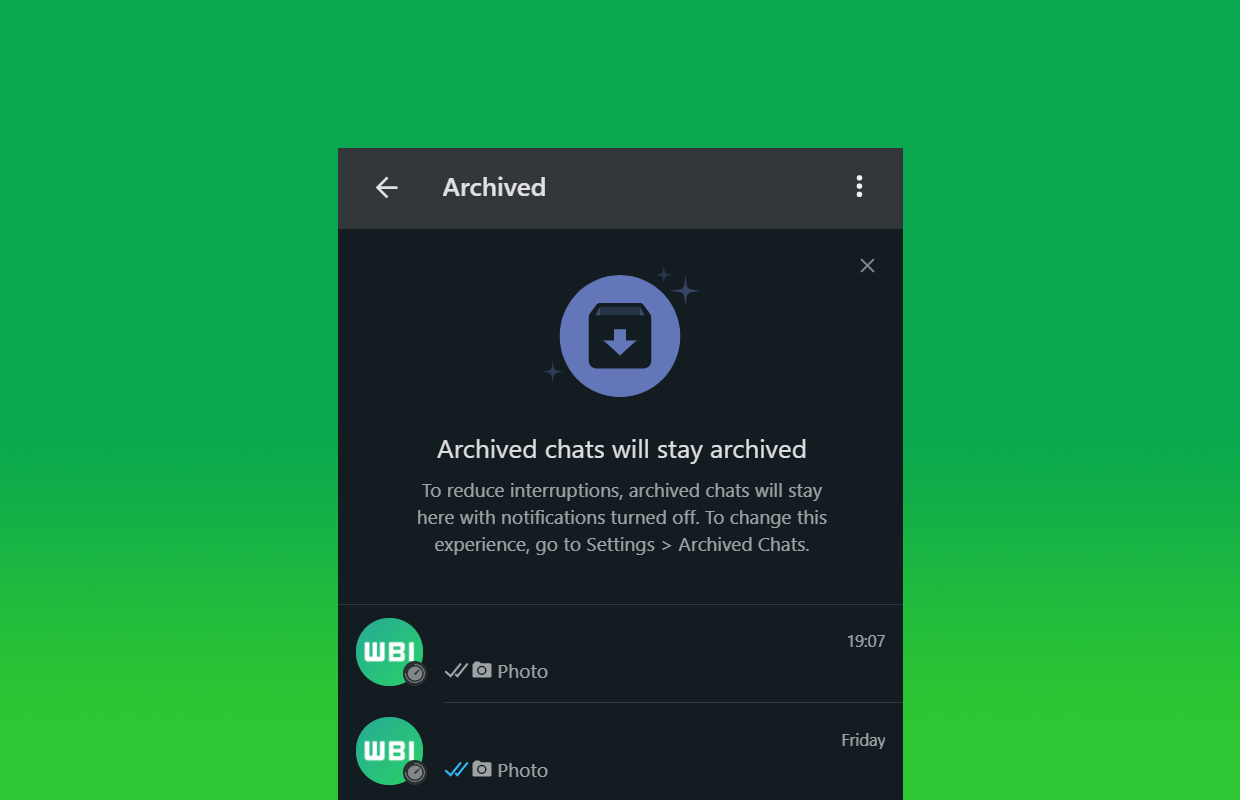
Right now, the option to archive a chat in WhatsApp is not really working as most users expect it to work. When you receive a new message from someone whose chat you decided to archive, the chat will appear back on the main screen, distracting you from conversations that truly matter. The New Archive update will change this, ensuring that archive chats will always stay out of sight and out of mind.
In-App Notifications For iOS
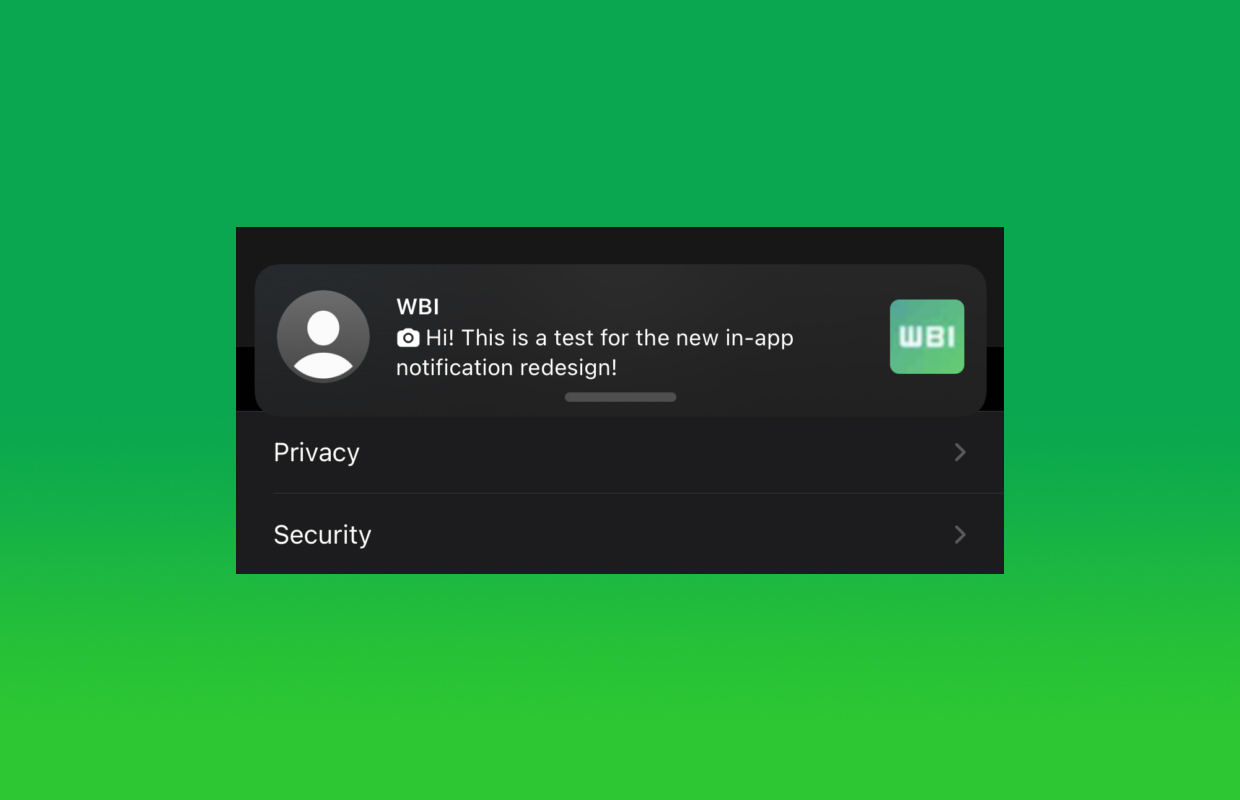
WABetaInfo
All users of the WhatsApp iOS app can look forward to redesigned in-app notifications, which will display more information in the notification banner, including image and video thumbnails. When expanded, the notification banner will display a chat preview. It’s worth noting that the message read status won’t change when a user decides to expand the notification banner.




News
Microsoft Plans $10 Billion-Plus Gulf Expansion Despite Iran Conflict
Security is shaping Microsoft’s approach, from resilience work with governments to what it will say about how the money splits by country.

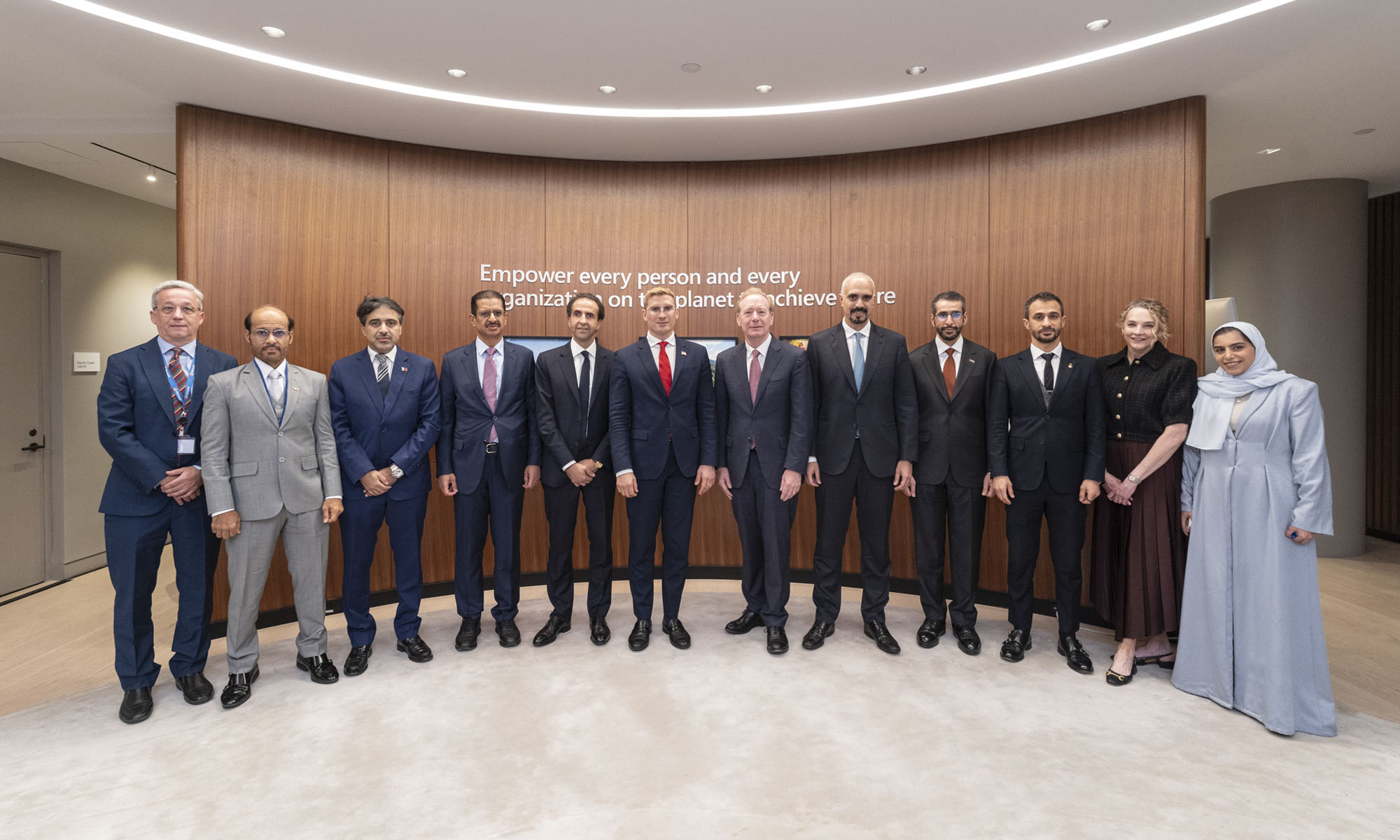
Microsoft is planning more than $10 billion of investment across the UAE, Saudi Arabia, Qatar and Kuwait through 2030, Vice Chair and President Brad Smith told Reuters, calling the spending schedule aggressive. The Iranian conflict that began on February 28 has not persuaded the company to scale back.
“We’re sustaining all the investments we planned to make before this conflict started, and we are in fact adding to them,” Smith said. The $10 billion-plus total does not, however, show how large those additions are.
The investment, which Smith described as part of Microsoft’s continued infrastructure expansion, is aimed at cloud and AI infrastructure and at the company’s growing regional operations. Microsoft also intends to put more than $400 million into subsea and terrestrial connectivity across the Middle East by 2030.
The spending fits the region’s own ambitions too. Gulf governments have been investing heavily in AI infrastructure as part of a push to diversify their economies beyond oil and gas and turn themselves into global technology hubs. Major cloud and AI providers have been drawn in part by the land and relatively low-cost energy on offer.
Microsoft is widening its partnerships with regional AI companies, though not on identical terms. In 2024, it invested $1.5 billion in Abu Dhabi-based G42 for a minority stake, and Smith currently sits on G42’s board. Saudi Arabia’s Humain and Qatar’s Qai are working with Microsoft on selected priority areas, but Smith said the company does not plan to make capital investments in either.
Also Read: Egypt’s Mobile Wallets Are Booming, But Cash Still Has Power
The conflict has added another strand to Microsoft’s work in the region. Since it began, Smith said, the company has supported regional partners with digital resilience assessments, and it is now working with Gulf countries through a digital resilience initiative focused on preparedness and the protection of critical data.
So far, the company has given no country-by-country breakdown of the investment, citing security among other factors. So while the headline figure is public, how Microsoft divides the spending among the four countries is not.

Microsoft Plans $10 Billion-Plus Gulf Expansion Despite Iran Conflict

In Kuwait, Your Surgeon Might Be Operating From Another Country

Qatar Folds 45 State Companies Into A Single Investment Platform

Trip.com Is Betting An AI Agent Will Book Your Next Vacation

Meta’s New $499 Plan Puts A Price On Reaching A Real Person

Apple’s First Folding iPhone Arrives Late To A Shrinking Market
Trip.com Is Betting An AI Agent Will Book Your Next Vacation

Egypt’s Mobile Wallets Are Booming, But Cash Still Has Power

OKX Bets Streaming Perks Can Take Crypto Mainstream Across MENA

Apple’s Latest Product Releases Make The Headlines


-
 News3 weeks ago
Apple’s First Folding iPhone Arrives Late To A Shrinking Market
-
 News2 weeks ago
Trip.com Is Betting An AI Agent Will Book Your Next Vacation
-
 News2 weeks ago
Egypt’s Mobile Wallets Are Booming, But Cash Still Has Power
-
 News2 weeks ago
OKX Bets Streaming Perks Can Take Crypto Mainstream Across MENA